How to Download TikTok Stories: Save Videos Without Watermark [2025]
Want to download TikTok stories before they disappear? TikTok stories vanish after 24 hours, and the app doesn't offer a built-in save option. But with the right tools, you can save any public story to your device in seconds—without watermarks.
In this guide, you'll learn exactly how to save TikTok stories on iPhone, Android, and PC. We'll cover the fastest methods, explain the quality options, and show you how to download anonymously without the creator knowing.

Can You Download TikTok Stories?
Yes, you can download TikTok stories—but not through the official app. TikTok doesn't provide a "Save Story" button like Instagram does. However, third-party tools make it easy to save any public story.
Key Facts About TikTok Story Downloads:
- •Stories expire in 24 hours — Download before they're gone
- •No official save option — Third-party tools required
- •Public stories only — Private accounts are protected
- •HD quality available — Save in original resolution
- •Anonymous downloads — Creator won't know you saved it
How to Download TikTok Stories (3 Methods)

Method 1: Use Story Viewer (Recommended)
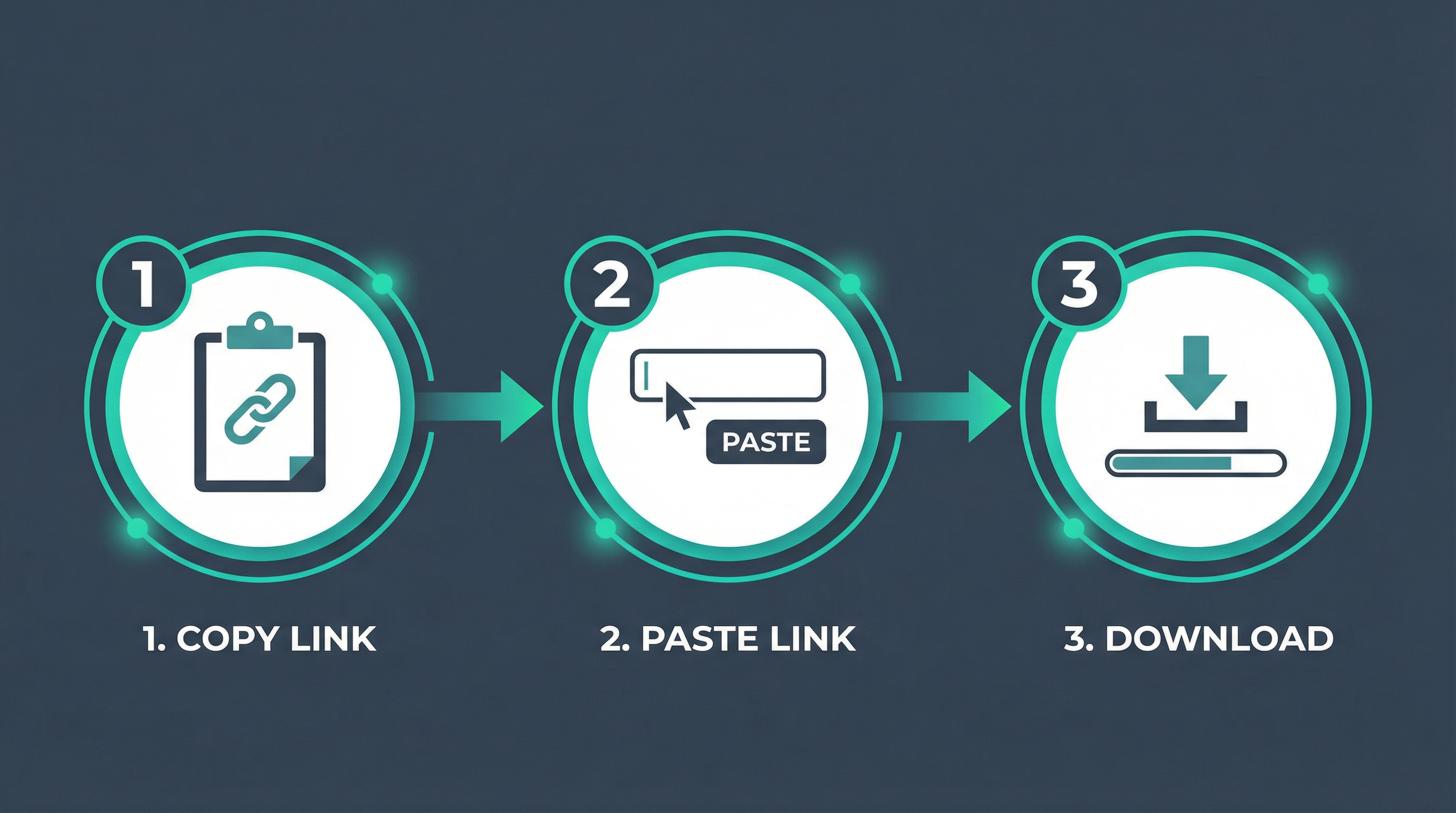
The fastest and most reliable way to download TikTok stories is using a web-based tool like Story Viewer. No app installation needed—works on any device.
Copy the TikTok username
Find the profile with the story you want to save
Paste into Story Viewer
Go to Story Viewer TikTok Stories and enter the username
Click Download
Select HD quality and save to your device
✓ Benefits: No watermark, HD quality, anonymous, works on all devices, completely free
Method 2: Screen Recording
A simple but lower-quality option is to screen record while watching the story.
On iPhone:
- Open Control Center
- Tap Screen Recording button
- Open TikTok and play the story
- Stop recording when done
On Android:
- Pull down notification shade
- Tap Screen Recorder
- Play the TikTok story
- Stop when finished
⚠️ Drawbacks: Lower quality, includes UI elements, not anonymous (you appear in viewer list)
Method 3: Browser Developer Tools (Advanced)
Tech-savvy users can extract story URLs directly from browser network requests.
- Open TikTok in Chrome/Firefox
- Press F12 to open Developer Tools
- Go to Network tab, filter by "media"
- Play the story and find the video URL
- Right-click the URL and "Open in new tab"
- Right-click video and "Save video as"
⚙️ Note: This method is complex and may not work consistently. Use Story Viewer for a simpler experience.
Download TikTok Stories by Device
iPhone
Open Safari, go to Story Viewer, paste username, tap Download. Video saves to Photos app.
No app needed
Android
Use Chrome browser, visit Story Viewer, enter username, tap Download. Saves to Downloads folder.
No app needed
PC/Mac
Any browser works. Visit Story Viewer, paste username, click Download. Choose save location.
Best for batch downloads
Download Quality Options
When downloading TikTok stories, you typically have multiple quality options:
| Quality | Resolution | File Size | Best For |
|---|---|---|---|
| HD (Recommended) | 1080p | ~15-30 MB/min | Reposting, editing |
| Standard | 720p | ~8-15 MB/min | Personal viewing |
| Low | 480p | ~3-8 MB/min | Saving storage |
Tip: Always download in HD if you plan to repost or edit the video. Lower quality is fine for personal archives.
Download Without Watermark
One of the biggest advantages of using Story Viewer is that downloaded stories come without watermarks. Here's why this matters:
❌ With Watermark
- • TikTok logo overlaid on video
- • Username displayed
- • Looks unprofessional when reposting
- • May get flagged as duplicate content
✓ Without Watermark
- • Clean, original video
- • Perfect for editing
- • Professional appearance
- • Better for compilations
Can You Download Stories Anonymously?
Yes! When you use a web-based downloader like Story Viewer, the story creator cannot see that you downloaded their content. Here's why:
- ✓No TikTok login required — Your account is never connected
- ✓Server-side fetching — Story Viewer's servers access the content, not your device
- ✓No viewer list entry — You won't appear in the story's view count
- ✓No download notification — TikTok doesn't notify creators of downloads
Compare this to screen recording: If you screen record while logged into TikTok, you'll appear in the viewer list. Using Story Viewer keeps you completely invisible.
Is It Legal to Download TikTok Stories?
Viewing and downloading public content for personal use is generally legal. However, there are important considerations:
✓ Generally Allowed
- • Downloading for personal viewing
- • Saving content you might want to reference later
- • Creating personal archives
- • Educational or research purposes
⚠️ Use Caution
- • Reposting without credit may violate copyright
- • Commercial use typically requires permission
- • Downloading private content is not possible (and shouldn't be attempted)
- • Always respect creators' intellectual property
Frequently Asked Questions
Can I download TikTok stories without an app?
Yes! Web-based tools like Story Viewer work directly in your browser. No app installation required—just visit the website, paste the username, and download.
Will the creator know I downloaded their story?
No. When using Story Viewer, downloads are completely anonymous. The creator cannot see who downloaded their content, and you won't appear in their viewer list.
Can I download stories from private accounts?
No. All TikTok story downloaders only work with public profiles. Private account content is protected and cannot be accessed by third-party tools.
What format are downloaded stories in?
Stories are downloaded as MP4 video files, which are compatible with all devices and video editing software.
How long do I have to download a story?
TikTok stories expire after 24 hours. Once expired, they cannot be downloaded. Save stories as soon as you see them if you want to keep them.
Start Downloading TikTok Stories
Don't let your favorite TikTok stories disappear forever. With Story Viewer, you can save any public story in HD quality, without watermarks, and completely anonymously.
Ready to Save TikTok Stories?
Download stories in seconds. No account needed, no app required, completely free.
Download TikTok Stories →